
Safe Arrival
SafeArrival makes it easy for guardians to report student absences in advance and respond to unexplained absences.
Families are asked to report student absences using any of these three convenient methods:
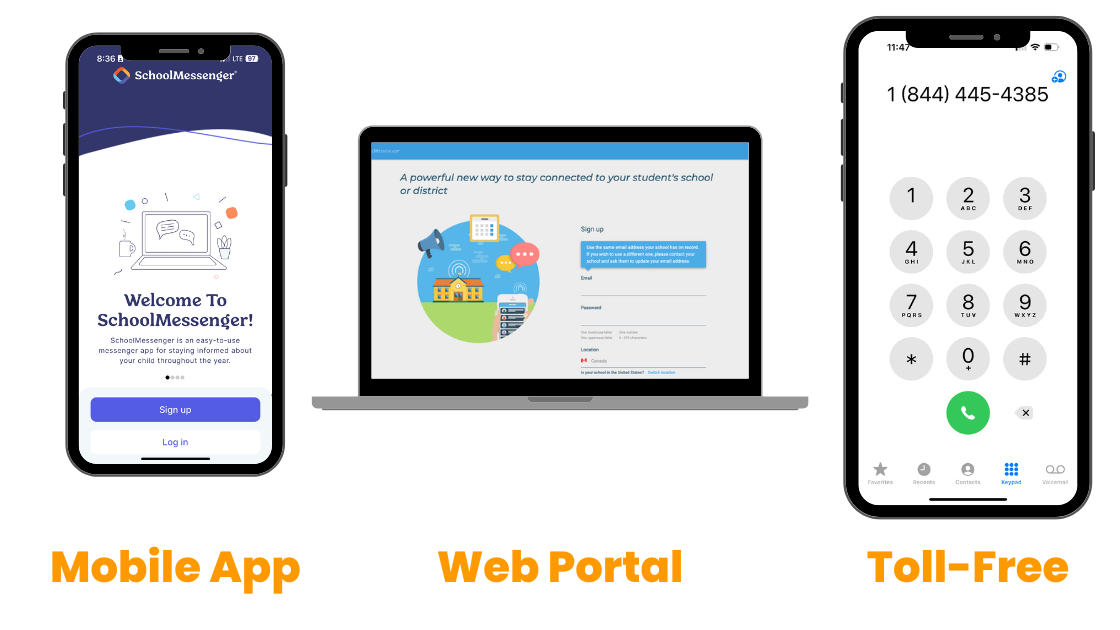
If a student absence is not reported ahead of time, guardians will receive a series of notifications from SafeArrival and be required to confirm the reason for the student’s absence.
Guardians must sign up before using the app or web portal.
Sign Up to Use the App or Web Portal
- Download the Android or iOS version of the SchoolMessenger Home App, or go to the SchoolMessenger Home web portal.
- Enter your email address.
- Connect the appropriate student(s) to your account. If no students appear at this step, try a different email address.
- Allow real-time push notifications.
- Follow the account setup steps according to your preferences.
Report an Absence
By reporting an absence ahead of time, guardians will not receive notifications from the school after attendance is submitted.
- Open the app or web portal.
- Log in to your account.
- If you do not have an account, follow the steps above to sign up.
- Select the attendance tab.
- Tap Report an Absence.
- Select the appropriate student(s), type of absence, reason for the absence and date(s) applicable.
- Tap save.
Report an Absence by Calling the Toll-Free Number
- Call 1-844-445-4385 and follow the prompts.
Respond to an Absence Notification
- SafeArrival will automatically notify guardians of any unexcused absence.
- Action is required by guardians. A reason for the absence must be submitted. If not, the school will follow up.
- The cascade of notifications are:
- Push notification to the SafeArrival App (if installed) and an email
- Text message (to SMS enabled devices)
- Automated Phone Call
Frequently Asked Questions (FAQs)
What if I do not receive the verification code when trying to register?
- Contact your child’s school as you may have unsubscribed from receiving messages from SchoolMessenger in the past.
What if I do not see my child(ren)’s name(s) when I log in?
- Contact your child’s school to confirm you are using the correct email.
What if I did not provide a valid email address to the school?
- Contact your child’s school to add an email on file, or submit absences through the toll-free number at 1-844-445-4385.
Who will receive the notifications for an unexcused absence?
- All individuals listed as guardians in the student file will receive the notifications at the same time.
Can I change my contact information in SafeArrival?
- Yes, you can change your preferred contact information in SafeArrival.
- Please note this will not change the contact information the school has on file.
How do I let the school know if my child will arrive late?
- SafeArrival is a full-day absence reporting platform. Please call the school to report late arrival.
What are the reason options in SafeArrival?
- The reasons available include Sick, Personal, Inclement Weather, Bus Driver Shortage, Bereavement and Cultural/Religious.
- Please do not use the Inclement Weather reason unless transportation has been cancelled.